



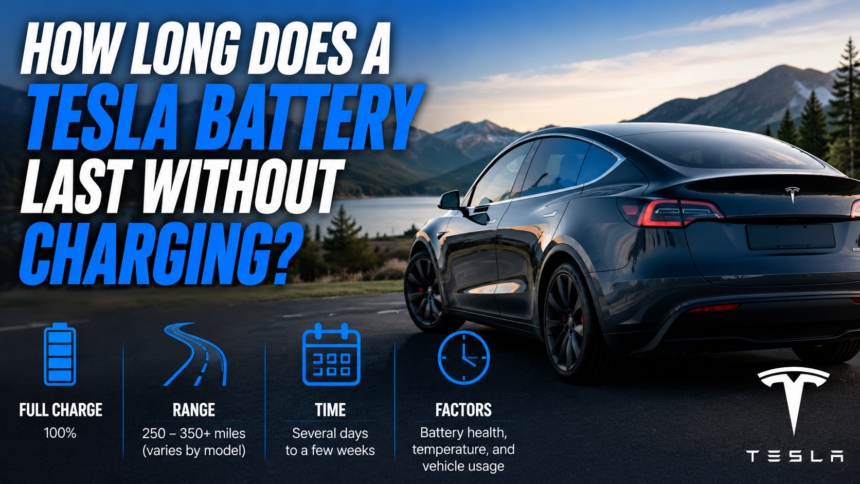
A parked Tesla typically loses about 1% of its charge per day, so a car left unplugged with a full battery can usually sit for two to three months before it runs out. The real number depends on the starting charge, the weather, and which features are left running, but for most owners a week, a month, even a long vacation is nothing to worry about.
- How much charge does a parked Tesla lose per day?
- What actually drains the battery while it’s parked?
- What actually happens over weeks and months?
- Does cold weather change the answer?
- What charge level should you leave it at before a long trip?
- How to stretch a parked Tesla’s battery life?
- What happens if the battery hits 0%?
- Conclusion
- Frequently asked questions
- Related Articles
How much charge does a parked Tesla lose per day?
Tesla’s own range support page states that a parked vehicle is expected to use around 1% of its charge per day. That figure holds up well in practice. Owners who track their cars closely often see less, somewhere between 0.5% and 1% a day, when the car is left alone in a moderate climate with no extra features switched on.
Do the math on that and a two-week trip costs roughly 10% to 14% of the battery. A month away costs somewhere around 15% to 30%, depending on conditions. A Model 3 or Model Y with a full charge and a 250-mile range would still have well over half its range left after a month of sitting untouched.
This slow loss is called phantom drain. It isn’t a fault or a defect. Every electric car uses some energy just to stay ready, the same way a phone loses a bit of charge overnight even in airplane mode.
The starting point matters as much as the daily rate. A current Model 3 or Model Y carries a usable battery somewhere between 60 kWh and 79 kWh depending on the trim, which translates to an EPA range of roughly 280 to 360 miles when fully charged. A car with the larger pack simply has more buffer to burn through before phantom drain becomes a real problem, so a Long Range trim parked for a month will always have more miles left in reserve than a Standard Range one starting from the same percentage.
What actually drains the battery while it’s parked?
A handful of background systems are the real culprits, and they add up fast if more than one stays active:
- Sentry Mode. This uses the car’s cameras to watch for break-ins and vandalism, and it is the single biggest drain of any parked feature. Leaving it on for days at a time can multiply the normal loss rate several times over.
- Cabin Overheat Protection. Tesla’s owner’s manual explains that this feature runs the climate system once the interior passes about 40°C (104°F), keeping the cabin livable after the car sits in the sun. It’s useful, but it burns battery to do it.
- Preconditioning and Keep Climate On. Anything that heats or cools the cabin remotely, whether triggered by the app or a schedule, pulls a noticeable amount of power.
- Software updates. A Tesla will sometimes wake up on its own to check for and install an update, which briefly uses more energy than sitting idle.
- Checking the app. Opening the Tesla app to glance at the battery level wakes the car from its low-power sleep state. Doing this often, out of habit or worry, is one of the more common ways owners accidentally speed up the drain.
- Third-party trackers or dash cams. Any aftermarket device wired into the car’s low-voltage system keeps drawing power even when Tesla’s own systems are asleep.
Turn all of these off and a Tesla settles into a genuine deep sleep, where the loss can drop closer to that 0.5% baseline instead of 1% or more.
What actually happens over weeks and months?
Real-world examples back up the math. One Model 3 owner left her car parked outdoors and unplugged for 32 days and came back to find the battery down by roughly 15%, close to half a percent a day. Another owner who leaves a Model Y parked for three months at a stretch reports losing about 25% of the charge total, which works out to roughly 8% a month.
Neither of those cars needed anything more than a normal charge before driving off again. Based on numbers like these, a Tesla parked with a healthy starting charge, in a reasonably mild climate, with the extra features turned off, can realistically sit for two or three months and still have plenty of range left when the owner returns.
Does cold weather change the answer?
Yes, and it’s the biggest single factor after the settings above. Cold temperatures slow the chemical reactions inside a lithium-ion battery, which reduces both driving range and the amount of usable energy while parked. At temperatures below about 20°F (-7°C), a Tesla can lose 25% to 40% of its normal driving range, and phantom drain while parked tends to run higher too, since the car may periodically warm the battery pack to protect it.
A Tesla stored outside through a cold winter will lose charge noticeably faster than the same car sitting in a heated garage. Part of that comes from the battery management system itself, which will periodically run a small heater to keep the pack from getting cold enough to risk damage, and that heater draws directly from the battery. If a long trip lines up with freezing weather, it’s worth leaving more of a buffer than the standard 1% a day rule suggests, and parking in a garage whenever one is available.
Heat has its own, smaller effect. A Tesla parked in direct summer sun will run its cooling system more often to protect the pack, and if Cabin Overheat Protection is switched on, the added air conditioning use adds to the daily drain as well. Neither extreme is dangerous for the car, but both push the loss rate above the 1% baseline, so a trip planned around a heat wave or a cold snap deserves a little extra charge going in.
What charge level should you leave it at before a long trip?
Somewhere between 50% and 80% is the range Tesla recommends for extended parking, with 50% to 60% being the sweet spot for anything longer than a couple of months. That’s different advice from daily driving, where topping up to 80% or 90% regularly is normal.
The reasoning is straightforward. Sitting at 100% for weeks puts more stress on the battery chemistry than sitting in the middle of the range, and letting the charge run all the way down carries its own risk. Splitting the difference at 50% to 60% keeps the pack away from both extremes for as long as the car sits idle.
If a Tesla is going to be parked for a week or less, this matters less and a higher starting charge, closer to 80%, gives a bigger safety margin without much downside.
Charging habits day to day matter too, separate from storage. Frequent fast charging and repeated trips to 100% add wear over the life of the battery, which is why most owners set a daily charge limit around 80% to 90% and only go to 100% before a long drive. That routine, kept up over months and years, tends to matter more for long-term battery health than the occasional stretch of parked time between trips.
How to stretch a parked Tesla’s battery life?
A few simple steps make a real difference over a long absence:
- Charge to 50-60% for trips over a month, or closer to 80% for anything shorter than two weeks.
- Turn off Sentry Mode unless the car is parked somewhere security is a genuine concern.
- Disable Cabin Overheat Protection and any climate scheduling before walking away.
- Leave it plugged in if at all possible. A Tesla connected to even a basic wall outlet will draw whatever small amount of power it needs from the grid instead of the battery, and Tesla’s systems will keep the charge level stable on their own.
- Resist checking the app. Every check wakes the car up. Set a reminder for a week or two out instead of peeking daily.
- Turn off aftermarket trackers or dash cams that stay wired into the 12V system.
A Tesla plugged into a standard outlet during a long trip barely touches the point of leaving it unplugged at all. The car manages its own charge level and the whole question of battery life becomes moot.
What happens if the battery hits 0%?
This is the one scenario worth actively avoiding. If the charge display reaches roughly 0%, the car drops into a protective low-power state that stops supporting the 12V auxiliary battery and the onboard electronics. Left in that state, the 12V battery can drain completely, which can leave the car unable to wake up on its own and may require a service visit to recover.
This is why the 1% per day rule matters most as a planning tool. Before leaving a Tesla unplugged for two weeks, the charge should sit comfortably above 14%, with room to spare for cold weather or an active Sentry Mode. Leaving with 50% or more removes the worry almost entirely for anything short of a couple of months.
Conclusion
A parked Tesla loses about 1% of its charge a day under normal conditions, which means most cars can sit unplugged for two weeks to two or three months without any real concern. The safest approach is to leave with 50% to 80%, switch off Sentry Mode and Cabin Overheat Protection, and plug in whenever a charger is available. Do that, and a Tesla left alone for a long trip will be ready to drive the moment its owner gets back.
Frequently asked questions
Can a Tesla sit for a whole year without charging?
No. At even a low drain rate of 0.5% to 1% a day, a full battery would run out well before a year passes. Anything longer than a few months needs to be plugged in or checked and topped up periodically.
Does leaving a Tesla plugged in the whole time hurt the battery?
No. Tesla’s charging system automatically manages the pack when it’s plugged in, keeping it at a safe level rather than holding it at 100%. Staying plugged in is the recommended approach for long absences.
Will a dead Tesla battery damage the car permanently?
Reaching 0% and staying there can drain the 12V battery and may require a tow or a service visit to restart the car, but it does not typically cause permanent damage to the main battery pack if it’s addressed promptly.
Does Sentry Mode really drain the battery that much?
Yes. Sentry Mode is the single largest drain of any parked feature, since it keeps the cameras and computer running continuously. Turning it off before a long trip meaningfully slows the charge loss.
Is it safe to leave a Tesla parked at an airport for two weeks?
Yes, as long as it starts with enough charge. Following the 1% per day rule, a charge of around 30% to 40% comfortably covers a two-week trip, and starting closer to 50% to 80% builds in extra room for weather or an active Sentry Mode.
Related Articles
What Is the Ideal Mileage for a Used Car? A Complete Buyer’s Guide
How Old to Rent a Car in Texas? Complete Age Requirements Guide